Why Offline-First Architecture Matters for Clinic Apps
Clinic Wi-Fi drops in basements, shielded imaging rooms, and rural sites without warning. Offline-first architecture treats that as the default, not the exception — writing to local storage first, syncing in the background, and resolving conflicts deliberately. Done right, it's the difference between an app clinicians trust and one they stop opening.
 Rachel Kim
The Connectivity Problem in Clinical Settings
Most mobile architecture assumes a network is usually there and occasionally missing. Clinics flip that assumption. Imaging suites are shielded by design, basements that house equipment carts have never had reliable Wi-Fi, and home-visit and rural-outreach staff work entire shifts with no signal at all. "Cache the last screen and retry the request" — the pattern that works fine for a weather app — falls apart here, because the data in question is a medication change, a vitals reading, or an allergy flag that has to survive the gap intact, not just reappear eventually.
That's a different engineering problem than handling flaky connectivity. It means the app has to be fully usable — reading and writing — with zero network for hours or days at a stretch, and it has to reconcile what happened offline with what happened on the server without quietly dropping or overwriting anything. Getting that right from the first sprint is considerably cheaper than retrofitting it once clinicians have already learned not to trust the app during a dead zone. Teams that don't build this in-house often bring in a clinic app development team like YuSMP Group to get the local-first data layer right the first time, since the cost of getting it wrong shows up as lost clinical data, not just a bad review.
The rest of this piece walks through what offline-first actually means architecturally, the core patterns for building it into a clinic app, and how to test and measure whether it's actually working once it ships.
What "Offline-First" Actually Means for a Clinic App
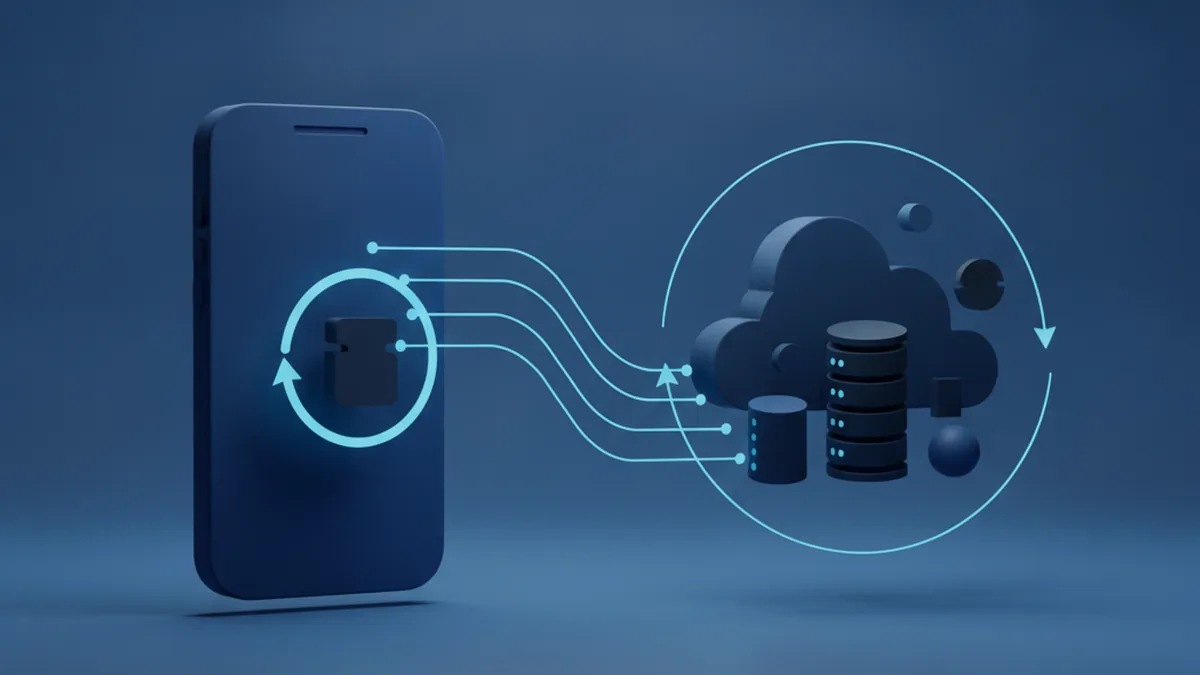
"Offline mode" and "offline-first" sound similar and are not the same thing. Offline mode caches server data for reading when the network drops — useful, but writes either queue silently or fail outright, and the app's source of truth is still the server. Offline-first inverts that: every write lands in local storage first, the UI reads from local storage first, and the network is a background concern that syncs local state outward whenever it's available. The device, not the server, is the source of truth for whatever the user is doing right now.
Architecturally, this is usually implemented as a repository pattern with two data sources behind a single interface: a local data source (the on-device database) and a network data source (the API). The UI only ever talks to the repository. It doesn't know or care whether a given read came from local storage or a fresh network call, and a write always succeeds immediately from the user's perspective because it's committed locally before any network call is attempted. That separation is what makes the rest of the architecture — sync engines, conflict resolution, testing — tractable instead of a tangle of special cases.
Core Architecture Patterns for Offline-First Clinic Apps
The local data source needs to handle structured, relational clinical data — patient records, visit notes, medication lists — not just a flat key-value cache. SQLite (directly, or through a wrapper like Room on Android) is the default choice for most clinic apps: it's mature, well-understood, and every mobile platform ships strong tooling for it. Realm and WatermelonDB are reasonable alternatives when a team wants a more ORM-like developer experience or needs smoother cross-platform behavior between iOS and Android, but the choice usually comes down to three criteria specific to clinical use: the database must support encryption at rest out of the box (not bolted on later), it needs to perform acceptably at the patient-record volumes a clinic actually generates, and it should work the same way on both mobile platforms if the app ships cross-platform, so the sync and conflict-resolution logic above it doesn't have to be written twice.
Pull, Push, or Hybrid Sync: Which Fits a Clinic Workflow?
Once local storage is in place, the next decision is how data moves between the device and the server. Three patterns cover nearly every real implementation, and they're not mutually exclusive — most clinic apps end up using a hybrid of the three for different data types.
| Strategy | How it works | Best for | Tradeoff |
|---|---|---|---|
| Pull-based | Client periodically requests changes since its last known state | Read-heavy data — schedules, reference lists, other clinicians' notes | Latency between a server change and the device seeing it; simplest to implement and reason about |
| Push-based | Server notifies the client as soon as a change is available | Time-sensitive updates — a new lab result, an urgent flag on a chart | Needs a reliable notification channel; still needs a pull fallback for when the device was fully offline |
| Hybrid | Push for urgent changes, periodic pull as the reconciliation safety net | Most production clinic apps | More moving parts to build and monitor, but the only pattern that's both fast and reliably eventually-consistent |
Designing the Sync Engine: Queue, Processor, Delta Sync
The sync engine sits between local storage and the network, and it's built from three cooperating pieces. An outbound queue records every local mutation — a new note, an edited vitals entry, a status change — as a durable, ordered record, so nothing is lost if the app is killed mid-sync or the device loses power before a connection comes back. An inbound processor pulls and applies server-side changes to local storage on whatever cadence the sync strategy calls for. And a conflict resolver sits at the point where an inbound change and a still-pending outbound change touch the same record, deciding what happens next (the next section covers that decision in detail).
On a clinic's typical connection — a single bar of rural signal, a hospital guest network throttled behind a firewall — shipping the full patient record on every sync is wasteful and slow. Delta synchronization, where only the fields that actually changed since the last successful sync are transmitted, cuts that payload dramatically and is usually the difference between a sync that completes in the background without the user noticing and one that times out and has to be retried.
What Happens When Two Clinicians Edit the Same Record?
Two staff members open the same patient chart while both are offline — one in triage, one in a follow-up room with no signal — and both make changes before either device reconnects. This is not a hypothetical edge case in a clinic app; with enough offline usage, it happens routinely, and how the system handles it determines whether offline-first is a feature or a liability.
The simplest resolution strategy is last-write-wins: whichever change reaches the server last overwrites the other, based on a timestamp. It's cheap to implement and fine for low-stakes data like a UI preference. It is a poor default for clinical data, because the discarded write might have been the correct allergy update, silently lost with no record that a conflict ever happened. The safer default for anything that affects patient safety is to detect the conflict, preserve both versions, and surface it for manual review — a flagged state in the chart that a clinician resolves explicitly, rather than an automatic merge that picks a winner no one asked it to pick. The extra UI friction of a manual review queue is a reasonable price for never silently losing a correction to a patient's record. Automated merge strategies (field-level merging, CRDTs) exist and work well for some data shapes, but they add real complexity, and for most clinic data the honest tradeoff still favors a conservative, flagged, human-reviewed resolution over an automatic one.
Data Integrity and HIPAA Considerations in Offline Storage
Local storage that holds protected health information is, legally and practically, as sensitive as the server copy — a lost or stolen device with an unencrypted local database is a reportable breach. Encryption at rest on the local database is not optional; it needs to be built in from the first commit, using the database's native encryption support rather than an afterthought wrapper, per the controls described in the HHS HIPAA Security Rule.
Two supporting practices matter alongside encryption. Every record should carry a reliable timestamp — ideally a logical/version counter in addition to wall-clock time, since device clocks drift and can't be fully trusted for conflict ordering on their own. And every offline write needs the same audit trail a server-side write would get: who made the change, on which device, and when, captured locally and synced up with the data itself rather than reconstructed after the fact. An app that can't answer "who changed this, and when, even though it happened offline" has a compliance gap regardless of how good its encryption is.
Role-Based Offline Access: What Should Sync to Which Device?
Syncing the entire patient dataset to every device by default is both a performance problem and a privacy one. A front-desk tablet doesn't need full clinical notes; a visiting nurse's phone doesn't need the full roster of every patient at every site the organization runs, only the handful on today's route. Scoping what syncs to a device by the role and context of the user holding it — the same least-privilege principle that governs server-side access control — keeps local datasets smaller (faster sync, less storage, smaller attack surface if the device is lost) and keeps the app from quietly caching PHI a given role never had a reason to see in the first place.
This has to be designed into the sync layer itself, not bolted onto the UI. If the local database holds data a role shouldn't see and the app just hides it in the interface, that data is still sitting unencrypted-by-role on the device, one jailbreak or forensic tool away from exposure. The sync engine should only ever request and store what the authenticated role is entitled to.
How Do You Test an Offline-First Clinic App?
Toggling airplane mode in a conference room and confirming the app doesn't crash is not a test of offline-first behavior — it's a test that the app can start without a network. Real clinic connectivity failures are longer, messier, and asymmetric in ways that a quick manual check never exercises.
A credible test plan covers at least three scenarios deliberately. Extended offline duration: leave a device offline for days, not minutes, and confirm the outbound queue doesn't silently drop entries, hit a storage ceiling, or corrupt ordering once it finally reconnects. Partial sync: kill the connection mid-sync, repeatedly and at random points, and confirm the app recovers to a consistent state rather than a half-applied one. And concurrent-edit scenarios: deliberately edit the same record from two devices while both are offline, then bring them back online in different orders, to confirm the conflict path actually triggers and surfaces the way it's supposed to rather than the happy path everyone tested by accident. None of these are exotic to simulate — they just have to be run on purpose, because they won't show up in a demo.
Measuring Whether Your Offline-First Architecture Is Working
Shipping offline-first support isn't the finish line; whether it's actually working in production is a measurable question, not a guess. Four metrics give a clinic app team a real signal. Sync success rate — the share of sync attempts that complete without error — catches silent failures before clinicians start noticing data isn't showing up. Time-to-full-sync-after-reconnect tells you whether a device that's been offline for a shift catches up in seconds or is still catching up an hour later, which matters directly to whether staff trust what they're looking at. Conflict frequency flags whether a particular workflow or site is generating far more concurrent edits than expected, which is often a sign of a process problem as much as a technical one. And the share of conflicts resolved manually versus automatically tells you whether the conflict-resolution strategy chosen early in the project is still the right one as usage patterns change.
Build vs Buy: When to Bring in a Dedicated Team
A small clinic app with one or two data types and light offline usage can often be built in-house by a team that already knows the platform — the patterns above aren't exotic, just disciplined. The calculus changes once the app handles multiple record types with real concurrent-edit risk, needs to run reliably across a fleet of devices in variable-connectivity sites, or has to prove its data-integrity controls to a security review. At that point, the cost of getting the sync and conflict layer wrong — lost data, a failed audit, clinicians who stop trusting the app — tends to outweigh the cost of bringing in a team that has already built this correctly more than once.
Frequently Asked Questions
What local database should we use for an offline-first clinic app?
SQLite (or a platform wrapper like Room) is the default for most clinic apps because it's mature, well-tooled, and supports encryption at rest natively. Realm or WatermelonDB are reasonable alternatives if your team wants a more ORM-like developer experience or needs more consistent cross-platform behavior — the deciding factors should be built-in encryption support, performance at your actual patient-record volume, and whether you need identical behavior on iOS and Android.
How do you handle conflicting edits to the same patient record?
Detect the conflict, preserve both versions rather than silently overwriting either one, and surface it for a clinician to resolve manually for anything that touches patient safety. Last-write-wins is acceptable for low-stakes data like UI preferences, but it's a poor default for clinical fields where an automatically discarded edit could be the correct one.
Is offline-first architecture HIPAA-compliant by default?
No — offline-first describes a data-flow pattern, not a compliance posture. It's compliant only if the local database is encrypted at rest, every offline write is captured in an audit trail, and access is scoped by role so devices only ever hold the data that role is entitled to see. None of that comes free with the architecture; it has to be designed in.
How much does offline-first add to development time and cost?
It adds real scope — the repository pattern, sync engine, conflict resolution, and the testing described above are genuine engineering work, not a configuration flag. For a new build, budgeting it in from the start is materially cheaper than retrofitting it after a simpler "cache and retry" version has already shipped and clinicians have learned not to trust it offline.
Can an offline-first app work across iOS and Android with one codebase?
Yes, and it's common — the repository pattern and sync engine are largely platform-agnostic logic that cross-platform frameworks can share, with the local database and its encryption as the main piece that needs to behave identically on both platforms. The conflict-resolution and queueing logic itself rarely needs to differ by platform.
What happens if a device stays offline for days or weeks?
A well-built outbound queue keeps recording local writes durably regardless of how long the gap is, and the inbound processor catches up once connectivity returns — this is exactly the extended-offline-duration scenario that needs to be tested deliberately rather than assumed to work. The practical limits are local storage capacity and how large the eventual sync payload becomes, both of which delta synchronization helps with directly.
Do we need a dedicated sync server, or can existing backend APIs handle it?
Many clinic apps add sync-specific endpoints (delta queries, conflict-aware writes) on top of an existing backend rather than standing up separate infrastructure — a dedicated sync server or interface-engine-style hub is usually only justified once an organization is syncing many devices across many sites with substantial conflict volume. Start with sync logic layered onto what you have; add dedicated infrastructure when the scale actually demands it.
Need this done right? Epica builds medical software end to end. Talk to us →